Independent software by 7evenk

Small tools.
Less friction.

Focused browser extensions that fix missing details in products you already use—without extra accounts, tracking, or unnecessary complexity.

Explore the tools ↓

The collection

Tools built around real annoyances.

Each project stays narrow, understandable, and useful. More tools will join this collection over time.

Available in the Chrome Web Store
Kids PlannerGoogle Calendar

🍲 🏊 👵

Kids Planner for Google Calendar

Lunch, a trip, time with Grandma: picture cards make the family calendar easier to recognise. Kids Planner adds large symbols, weather and daylight to the Google Calendar you already use.

  • Events stay with Google
  • Optional weather
Explore Kids Planner →
Chrome extension
Watch laterPlaylist cleanup

100%Already finishedRemove

42%Continue watchingKeep

Watched Videos On YouTube Remover

Published: version 1.2.3

Remove watched videos from YouTube playlists while keeping unfinished videos for later.

  • Adjustable threshold
  • Visible progress
  • Private by design
Explore Watched Videos →
Chrome extension
OnVista course dataPortfolio Performance
$.datetimeLast[*]$.last[*]

onvista Stock URL Finder

Find OnVista course URLs and JSON paths for Portfolio Performance directly in your browser.

  • Direct workflow
  • Exchange-aware data
  • No data collection
Explore OnVista Finder →
Free Chrome extension
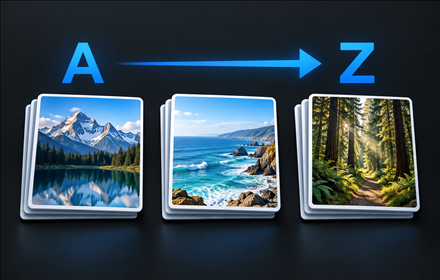
Album sorting illustration

Album Sorter for OneDrive

Published: version 0.2.1

Sort your own OneDrive Personal albums naturally A–Z or Z–A, with a locally saved preference.

  • Natural number order
  • Local processing
  • No tracking
Explore Album Sorter →
Free Chrome extension
Google TasksFilter & results
⌕ orderOnly matching tasks

Google Tasks Filter

Search loaded Google Tasks by title with a filter or results list. Version 0.5.2 is available.

  • Local processing
  • Results with list names
  • No tracking
Explore Google Tasks Filter →

A simple standard

Useful first.
Quiet by default.

01

One clear purpose

No feature piles. Every tool starts with a specific problem and stays focused.

02

Privacy without ceremony

No account or tracking unless a feature genuinely cannot work without it.

03

Clear about scope

Each product explains its purpose, privacy practices, and known limitations.

User-supported work

Help small tools stay useful.

The extensions are free. If one saves you time, you can support maintenance and compatibility.